Waiting list management without paperwork
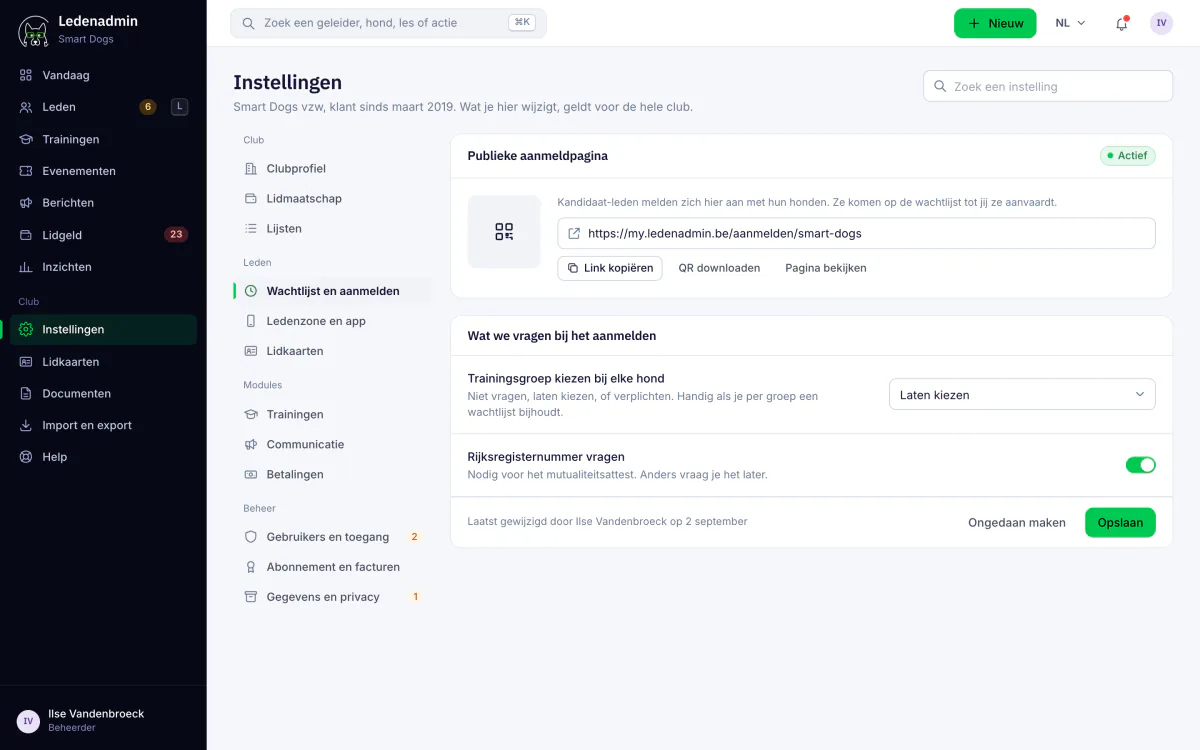
Is your dog training school full? No problem. With the waiting list module of Ledenadmin, prospective members register online and are neatly placed on the waiting list. When there is room, they join with one click: payment request, payment and import as a member.
From registration to member in 5 steps
The entire intake process is digitised. No more paper forms, no phone follow-ups and no confusion about who is first in line.
Online registration
The prospective member fills in the form via the unique URL of your dog training school.
On the waiting list
The registration goes on the waiting list, in order of registration, and the club receives an email.
Invite
Is there room? You choose who is next and set the membership fee per application.
Pay online
With one click, the candidate receives a payment request and pays the membership fee online via Mollie.
Import
After payment, you import the member with one click, together with their dogs and a membership card.
Everything you need for a professional intake
The waiting list module is designed for dog training schools that want to streamline their intake process. From first contact to full membership, fully automated.
Online registration form
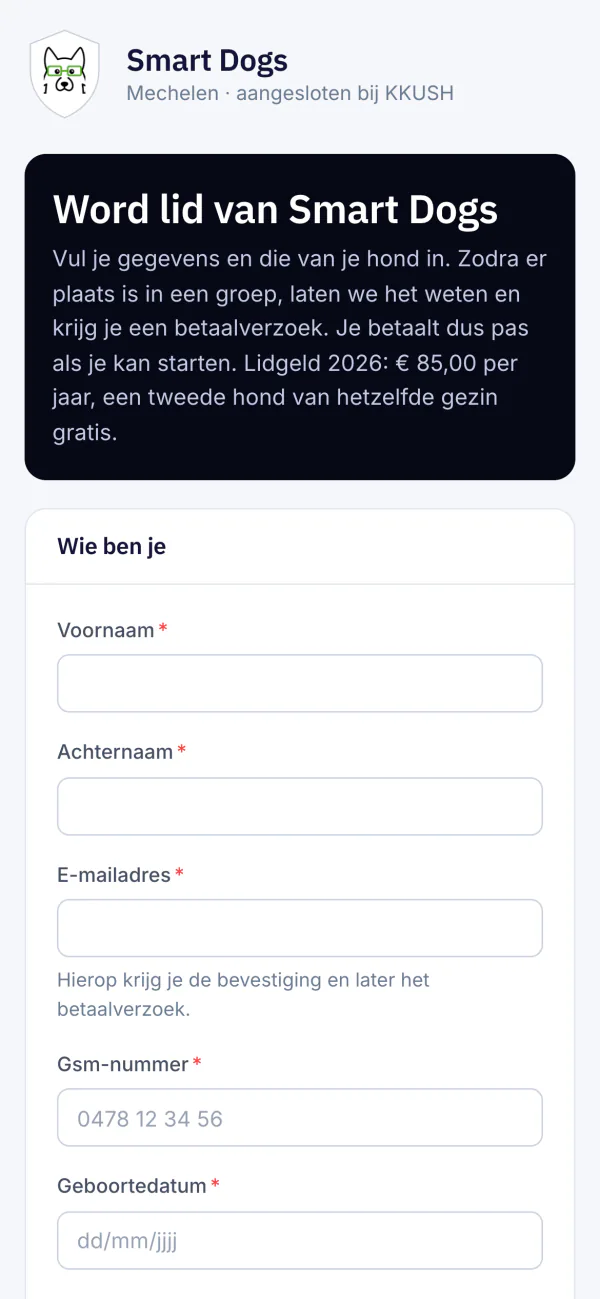
Your dog training school gets a unique URL that you share on your website, Facebook page or by email. Prospective members fill in their details and those of their dog(s), choose a training group if they wish and subscribe to the newsletter.
Notification for every registration
The club receives an email for every new registration. In the overview you see everyone who is waiting and their dogs, and you can export the list to Excel.
Payment request with one click
Set the membership fee per application and send a payment request via Mollie with one click. The prospective member pays online with Bancontact, iDEAL or another method.
Import into membership records
After payment, you import the waiting member as a full member into your membership administration at the touch of a button. All data is transferred, including the dogs, and a membership card is created straight away.
Contact details and dog info
The registration form collects all relevant information: name, address, phone, email, and the details of the dog such as breed, date of birth and chip number. Everything ready for import.
Fair order
The waiting list shows who registered when. That way you invite candidates in order of registration, without discussion about who was first.
Why a digital waiting list is indispensable
Popular dog training schools often have more registrations than available spots. Without a structured waiting list, you lose prospective members to the competition, discussions arise about the order and following up on waiting candidates costs hours every month.
- No more losing prospective members due to slow follow-up
- A fair order prevents discussions and frustration
- Payment directly linked to intake via Mollie
- All data already collected before the member starts training
- A professional first impression for new members
Works seamlessly with
Ledenadmin is a single platform. These modules connect directly to what you just read about.
Events
Activities with online registration, orders and payment, including for non-members.
Learn moreFinancial management
Automatically track and collect membership fees via Mollie.
Learn moreMembership management
All members, dogs and training groups managed in one place.
Learn moreWondering what it costs? Check our transparent pricing or request a demo.
Never lose a prospective member again
Professionalise the intake process of your dog training school. With the waiting list module of Ledenadmin, prospective members register online and join with one click as soon as there is room. Try it for free.