Every training session running smoothly
Plan the whole season in one go, let members register themselves via the app and see per class who is coming, who was there and who is on the waiting list. From the weekly puppy class to a course with a diploma.
Class planning that works for you
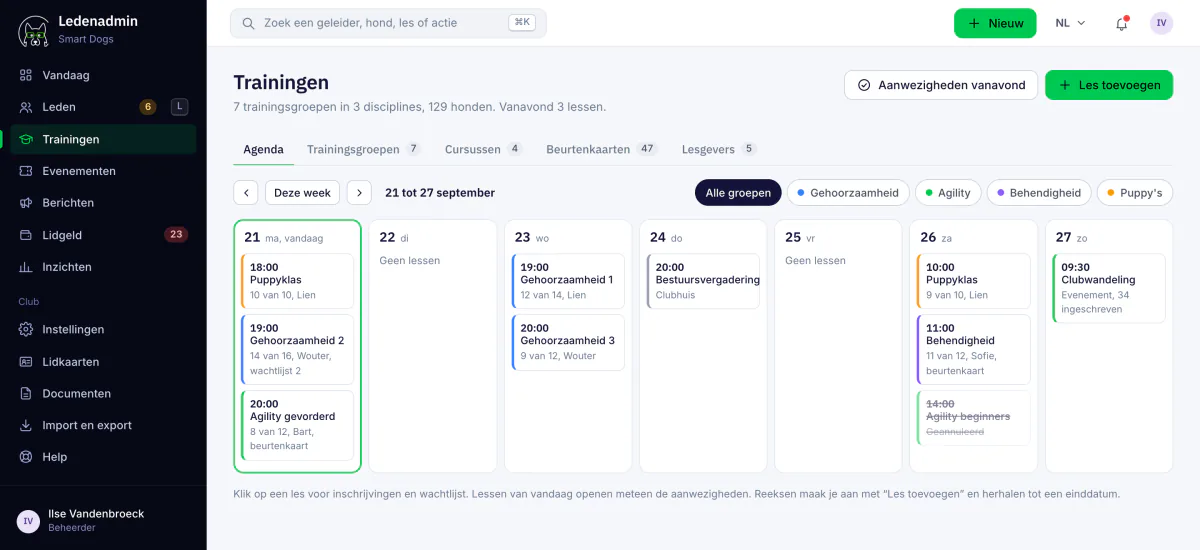
Training groups, instructors, capacity and registrations are all connected. You plan a class once and Ledenadmin does the rest.
An entire season in one go
Choose the weekday, the time and the period, and Ledenadmin creates the complete class series. Something changes? Edit a single class or the whole series at once.
Training groups and disciplines
Organise classes by discipline and training group, such as puppy, obedience or agility. Each group gets its own colour, so the calendar can be read at a glance.
Capacity and registration deadline
Set the maximum number of participants per class. Registration closes automatically a configurable number of hours before the class, so instructors know where they stand.
A waiting list that manages itself
Class full? Members go on the waiting list. If someone drops out, the first person waiting receives a push notification to accept or decline the spot. Anyone who does not respond in time passes their turn to the next person.
Instructors per class
Assign one or more instructors to a class. If an instructor cancels in the app, the other instructors are notified immediately, with the day and time.
Stamp card required
Does a class work with stamp cards? Then the stamp is registered automatically when a member signs up via the app, and credited back when they unsubscribe.
Registering via the app, per dog
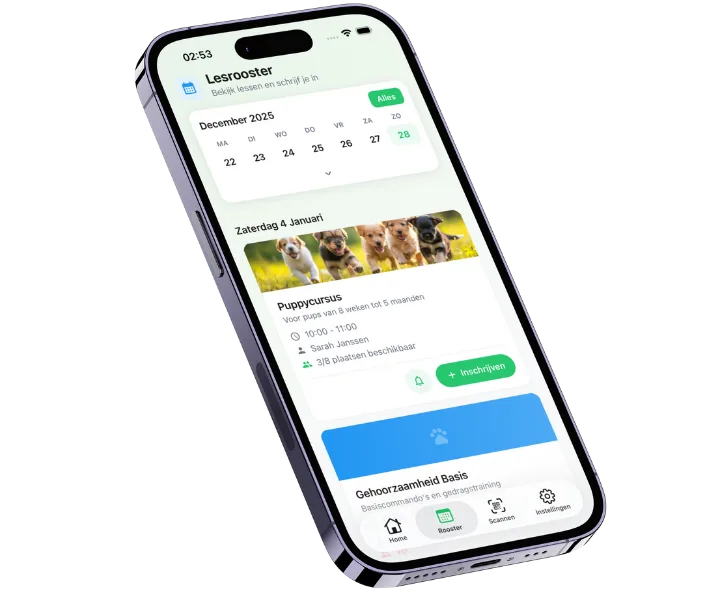
Members see the class schedule by day, week or month and register their dog with one tap. Ledenadmin checks whether the dog is in the right training group and prevents duplicate registrations.
- Filters for my classes, available classes and all classes
- How full each class is, always up to date
- Waiting list offer with a countdown timer, which can be accepted straight from the push notification
- Unsubscribing is just as quick, so the spot becomes available for someone else
Attendance in seconds
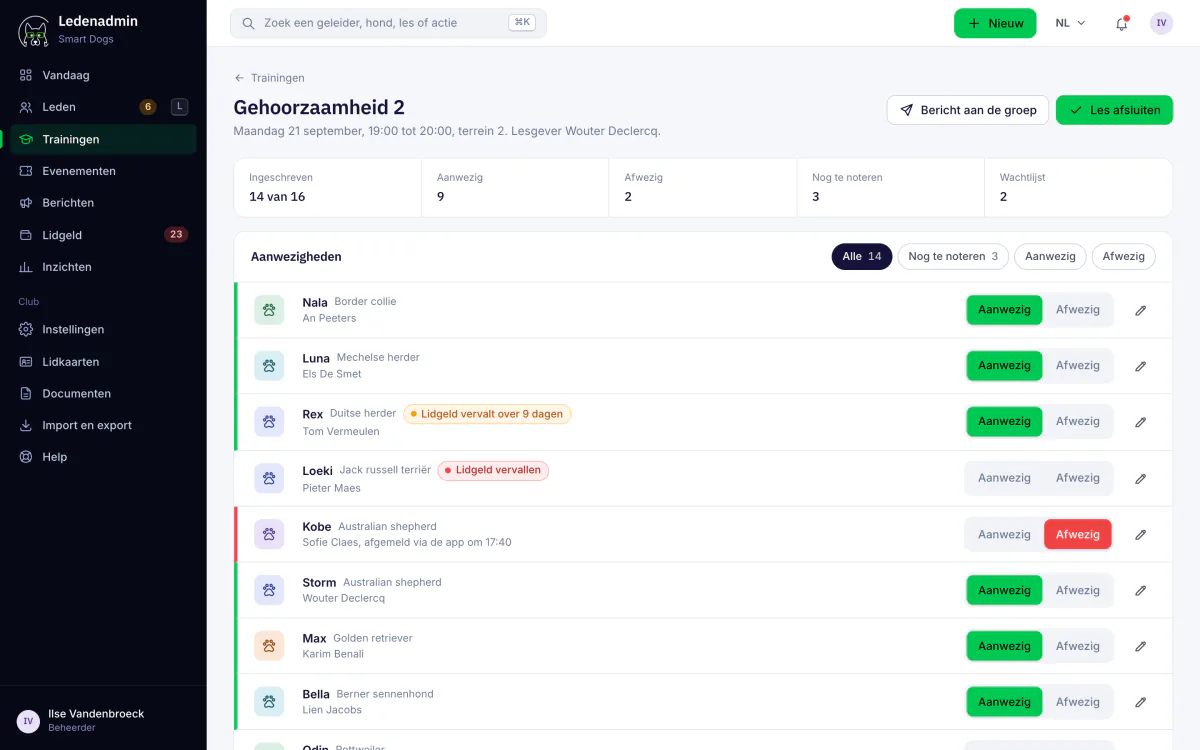
No more paper lists at the start of the class. Instructors tick off attendance in the app or scan the membership card, and in the portal you see per class who was registered, present or absent.
- Scan the membership card to mark someone as present
- View attendance per class and adjust it afterwards
- Export attendance per class to Excel
- See at once who is on the waiting list
Courses with session dates, participants and a diploma
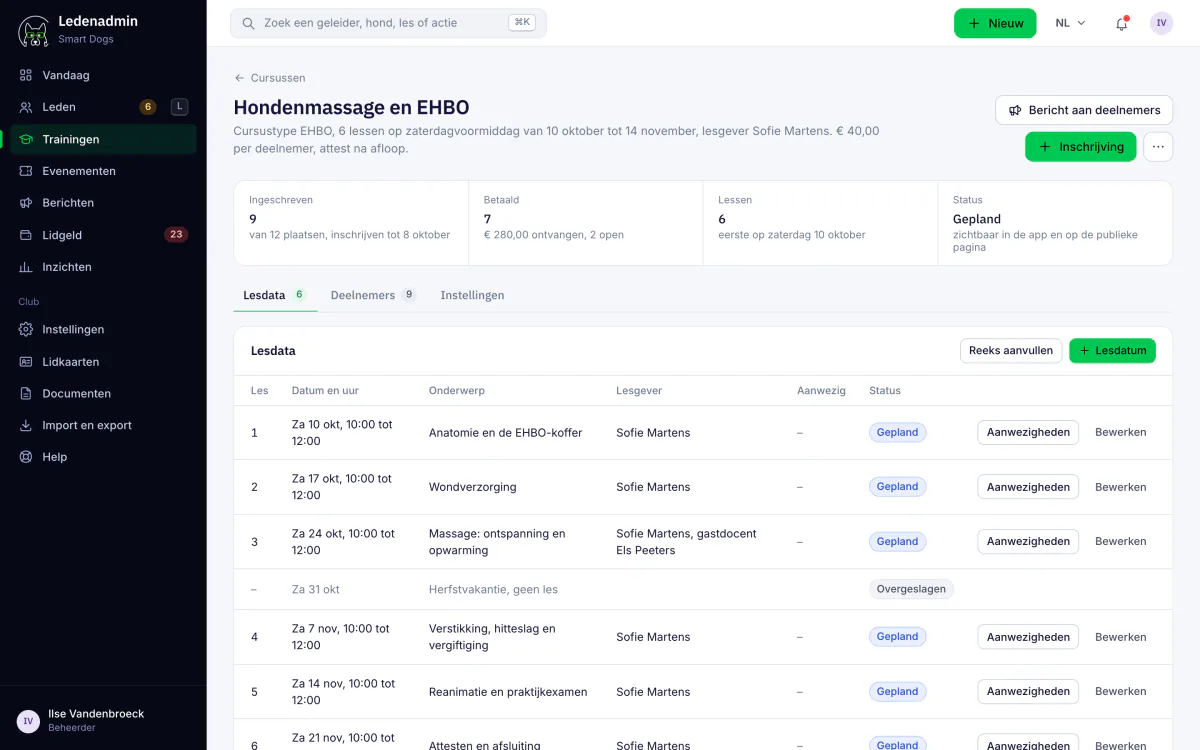
Organising a puppy course, a first aid course or a workshop? Create a course based on a course type, schedule the session dates and track participants, attendance and payment on one screen.
- Course types and status: planned, in progress or finished
- Session dates with attendance per date
- Payment status per participant
- Email or SMS to all participants, per course or per session date
- Members register themselves via the member zone
- Course diploma as a PDF and export to Excel
Making life easier for instructors
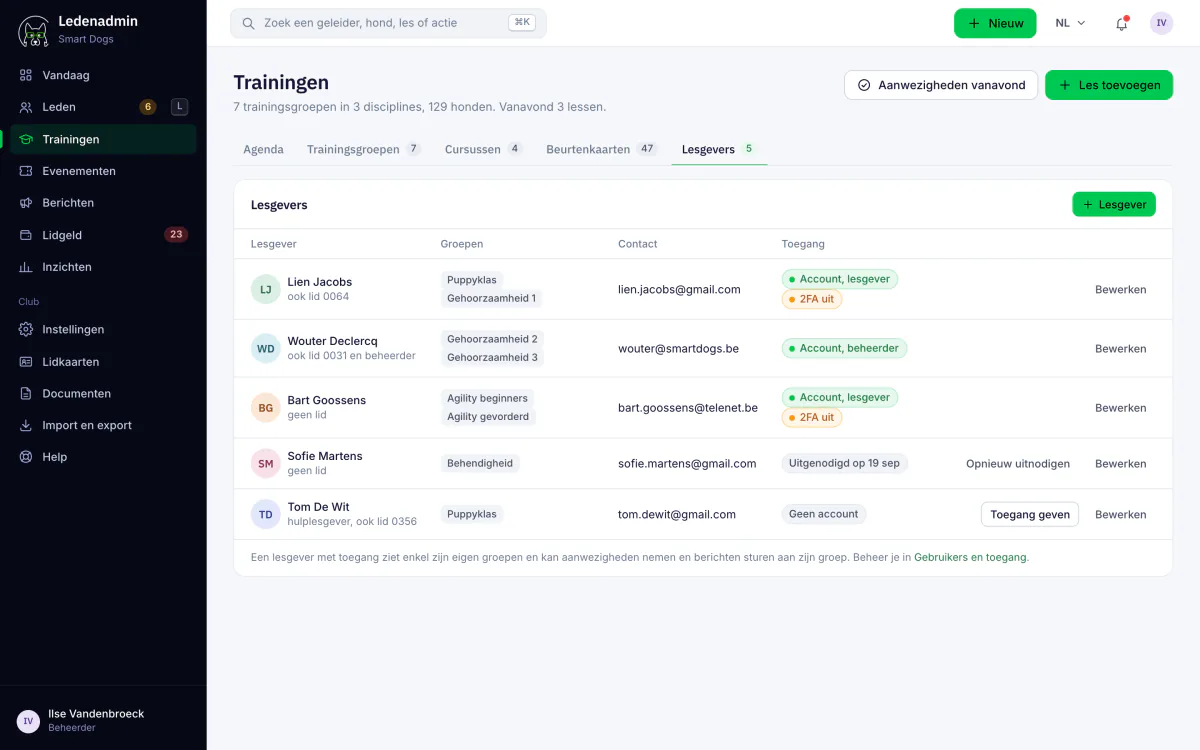
Instructors get their own account with exactly the permissions they need. In the app they see the schedule, take attendance and cancel when they cannot teach a class.
- In the portal, an instructor only sees their own courses
- Read or write access per user
- Assigning themselves to a class or cancelling in the app
- A profile with a calendar of all their classes
What is included in which plan?
Classes, training groups, instructors and attendance are included in every plan.
Courses with session dates, communication to participants and a diploma as a PDF are available from Premium.
Registering via the app, the waiting list with push notifications and stamp cards are part of Enterprise.
Frequently asked questions
Do you have another question? Get in touch.
Works seamlessly with
Ledenadmin is a single platform. These modules connect directly to what you just read about.
Events
Activities with online registration, orders and payment, including for non-members.
Learn moreStamp cards
Sell stamp cards and register stamps digitally.
Learn moreMobile App
iOS and Android app for members and instructors.
Learn moreWondering what it costs? Check our transparent pricing or request a demo.
Ready to streamline your class planning?
Try Ledenadmin for free and discover how much easier classes, courses and attendance become. We help you get started free of charge.