Member data in safe hands
A membership administration contains your members' addresses, phone numbers and sometimes their national registry number. Ledenadmin protects that data with two-factor authentication, permissions per user and an activity log, and lets members request their own data.
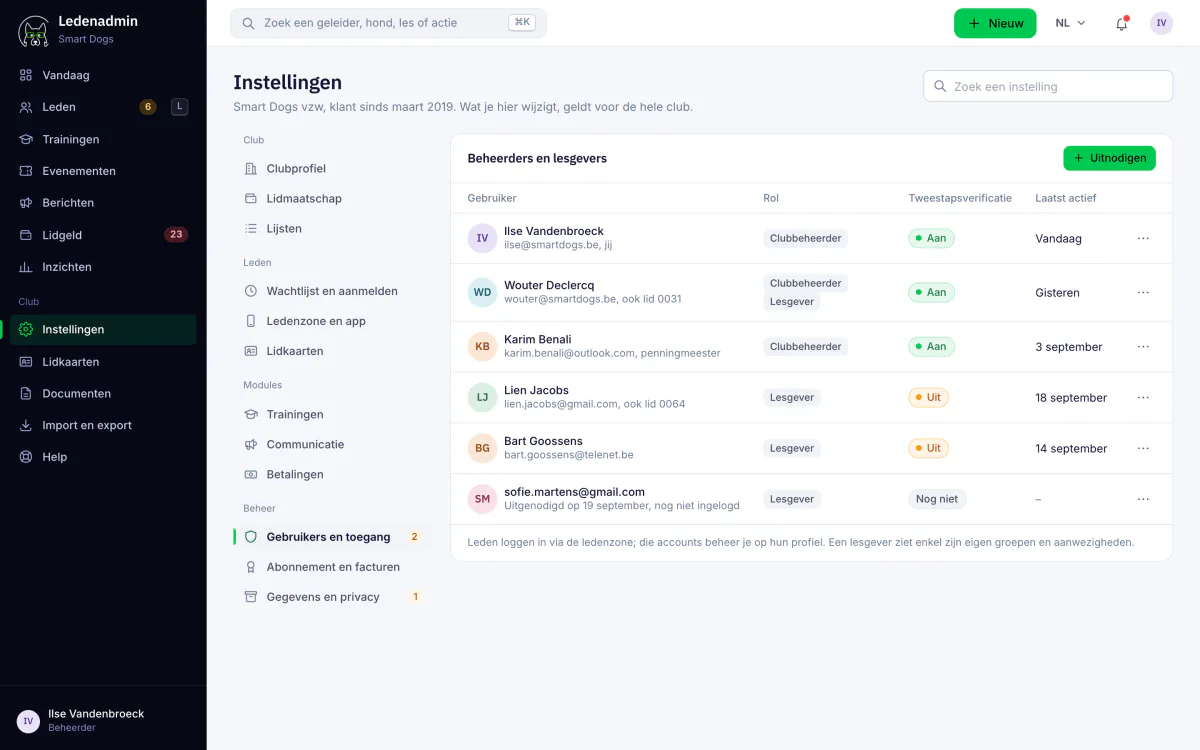
Security that is built in as standard
No extra modules or options: this protection is part of the core of Ledenadmin, for every club.
Two-factor authentication
In addition to the password, Ledenadmin asks for a code from an authenticator app. A stolen password is then not enough to get in.
Permissions per user
Administrators, instructors and members each get their own access, with read or write rights. In the portal, an instructor only sees their own courses.
Activity log
Ledenadmin keeps track of who changed what, with date and time. Handy when members or the board have questions.
GDPR self-service
Members download an overview of all their data themselves and request its deletion in the member zone.
European servers and backups
Your data is stored on secure servers in the European Union, with daily backups. All traffic is encrypted via SSL.
Passwords never sent by email
Passwords are never sent by email. Users choose and change their own password, even when they have forgotten it.
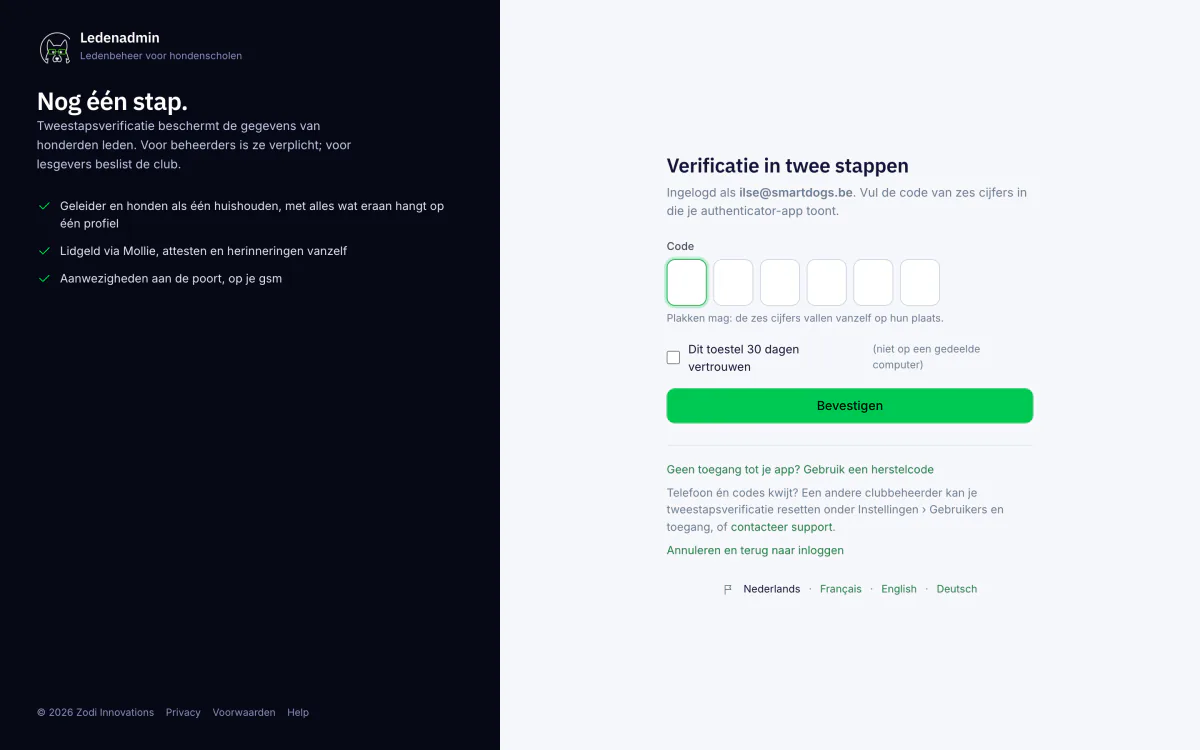
Two-factor authentication: an extra lock on the door
Board members and instructors often log in on shared or older devices. With two-factor authentication, a leaked or guessed password is not enough: after the password, Ledenadmin asks for a six-digit code from an app on the phone.
- Works with any authenticator app, such as Google Authenticator or Microsoft Authenticator
- Eight recovery codes in case the phone is lost
- Each user enables it from their own account
- Recommended for everyone with access to member data
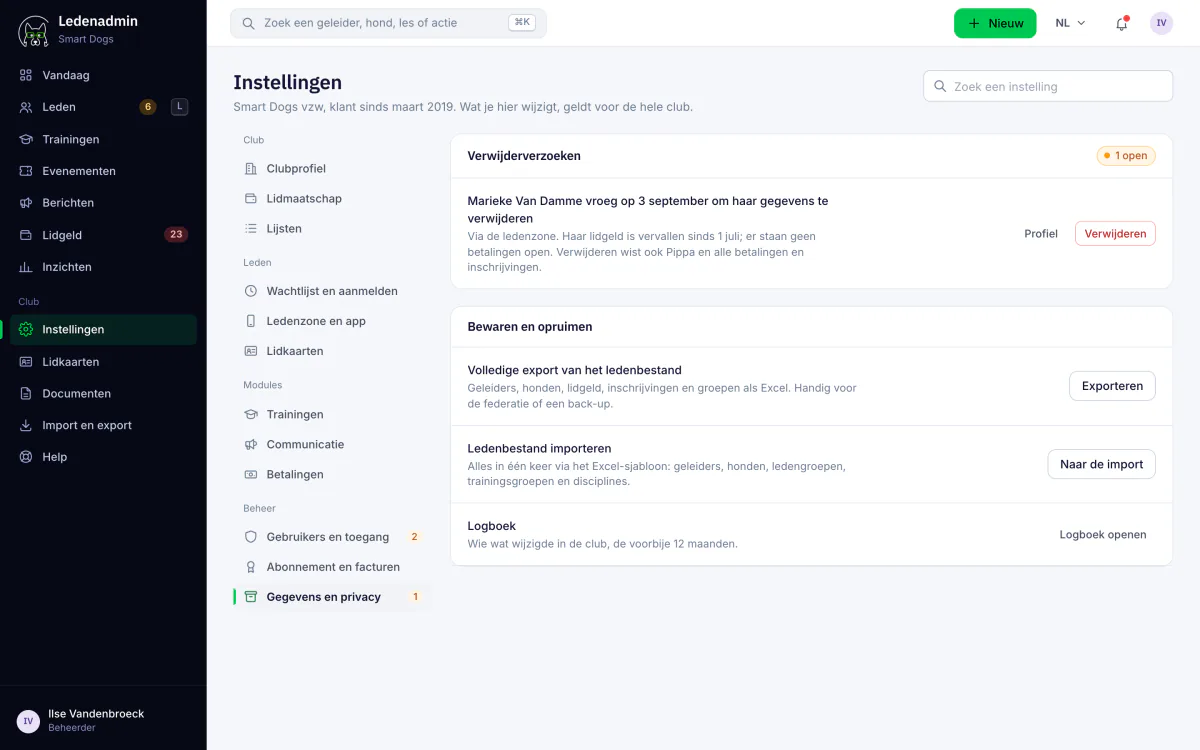
GDPR self-service: members handle it themselves
Under the GDPR, every member may ask which data the club keeps about them, and have it deleted. In the member zone, members do this themselves, without emails back and forth.
- Members download a PDF with all their data: profile, dogs, vaccinations, classes and activities
- A deletion request reaches the club as an email and as a notification
- Members can still withdraw their request themselves
- An unsubscribe link in every newsletter
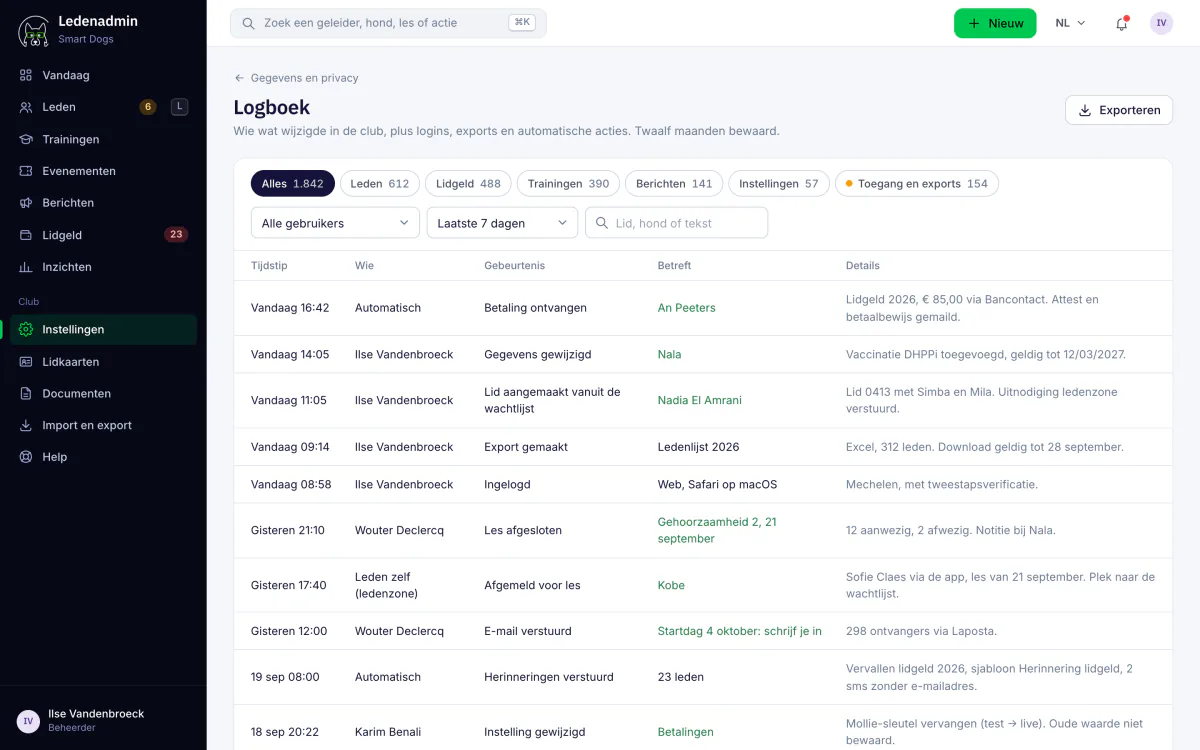
A log of every change
Do several board members and instructors work in Ledenadmin? The activity log shows who changed what and when. That way you no longer have to figure out how an address or amount was changed.
- Who changed what, with date and time
- Notifications of important events in the top bar
- One place to check what happened
- Available to every club, at no extra cost
What is included in which plan?
Two-factor authentication, permissions per user, the activity log, Excel exports and European hosting are included in every plan.
The GDPR self-service for members is part of the member zone in the Enterprise plan.
Frequently asked questions
Do you have another question? Get in touch.
Works seamlessly with
Ledenadmin is a single platform. These modules connect directly to what you just read about.
Member zone
Self-service portal where members manage their own details.
Learn moreCertificates & documents
Health insurance certificates, course diplomas and exports, created automatically.
Learn moreMembership management
All members, dogs and training groups managed in one place.
Learn moreWondering what it costs? Check our transparent pricing or request a demo.
Membership administration that gives you peace of mind
Switch from separate Excel files to one secure place for all your member data. Try Ledenadmin for free.